Home / Shop
What Happened While You Were Gone Report
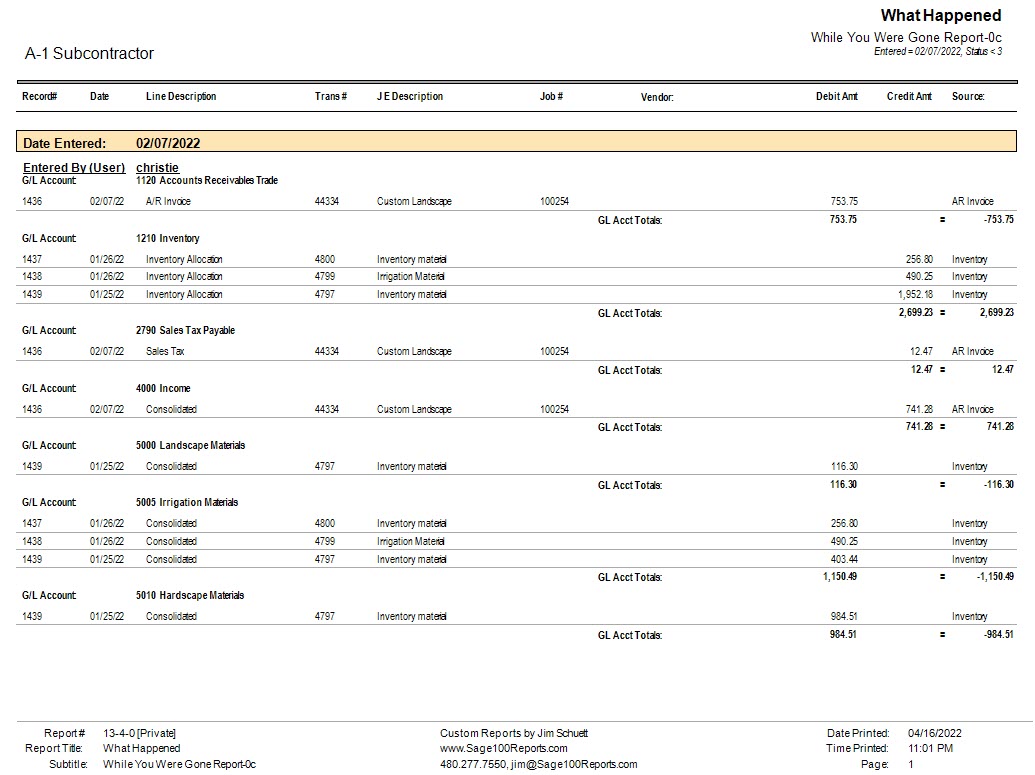
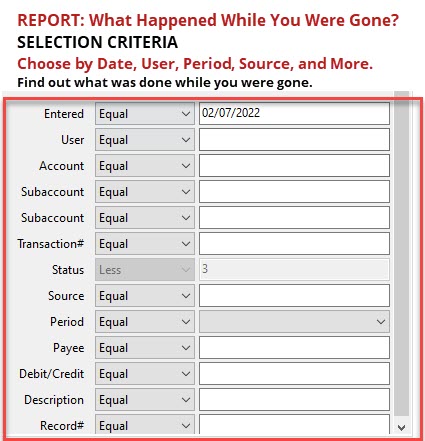
- Description
- Customer Reviews (0)
FIND OUT WHAT WAS DONE WHILE YOU WERE AWAY!
With the What Happened While You Were Gone report, you can search (or exclude!) specific general ledger accounts and subaccounts, transaction sources, amounts, periods, and description strings to locate particular transactions.
Sage’s standard User Activity system report allows you to review user activity for a specific user or date range. It also displays record changes, for as long as that history is set to be retained in the database administration settings on the server.
The key differences are that the What Happened While You Were Gone report:
- Offers more search criteria to help you pinpoint specific transactions.
- Searches across all available transaction history, rather than being limited by the history retention settings that apply to the system report.
- Displays transactions that were entered, but does not include record changes or historical record details.
- Allows you to export your results to PDF or Excel, making it easier to review, share, and analyze the information.
With its expanded search and filtering capabilities as well as export options, the What Happened While You Were Gone report makes it easier to find the specific transactions you’re looking for. ZERO IN on keeping track of your business, even everyday!
Add a review for What Happened While You Were Gone Report
Related Products
-
What Happened While You Were Gone Report
$350.00Successfully Added to your Shopping CartAdding to Cart...